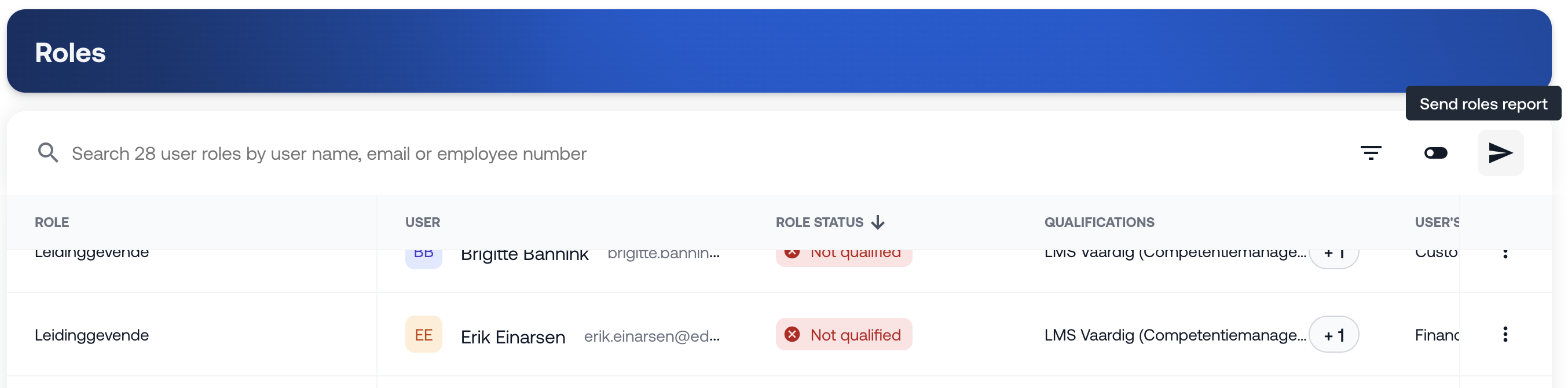
In this report, you will find an overview of all functions per employee. You can search by name, email address, or employee number.
What can you find in this report?
Per employee, you will see the following information:
Function
Employee
Function status (qualified or not qualified)
Qualifications linked to the function
Teams the employee is part of
Performing actions
Via the three dots at the end of a row, you can perform actions:
Send an email to the employee
Assign a qualification
For example, you can use this option to send an email to an employee to inform them that the function has not yet been achieved and still needs to be completed.

Filter options
You can filter the report by:
Team
Function
Function title
Function status
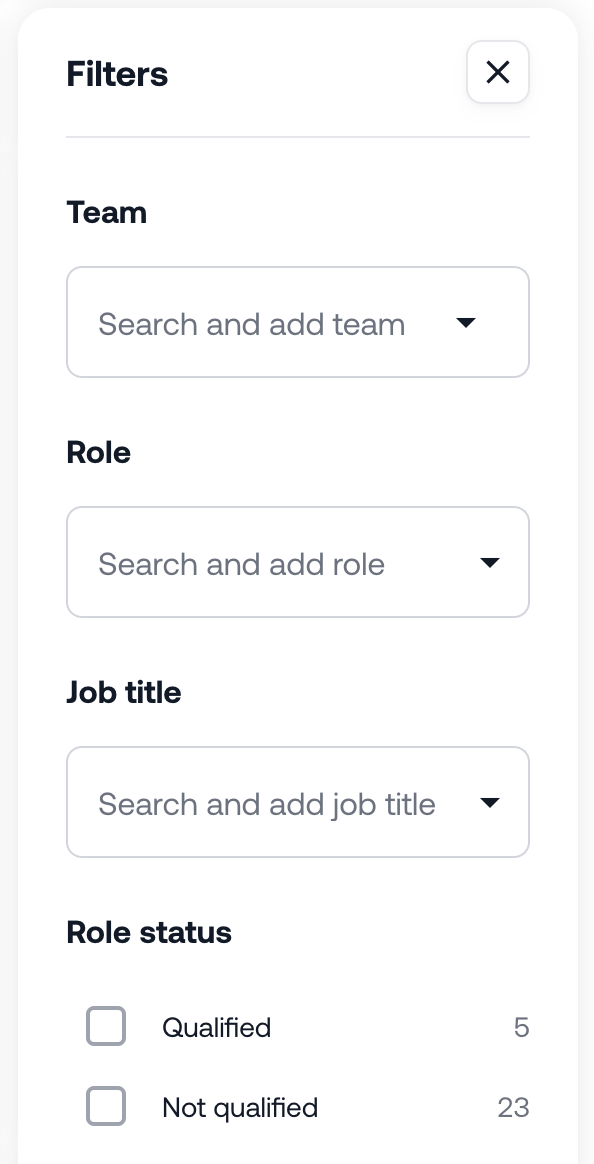
This helps you quickly find the information that is relevant to you.
Was this article helpful?
That’s Great!
Thank you for your feedback
Sorry! We couldn't be helpful
Thank you for your feedback
Feedback sent
We appreciate your effort and will try to fix the article