Do you want to clean up a learning track or make it invisible to employees? You have two options: delete or archive. Below, you’ll find the differences and what to consider before choosing either option.
Deleting a Learning Track
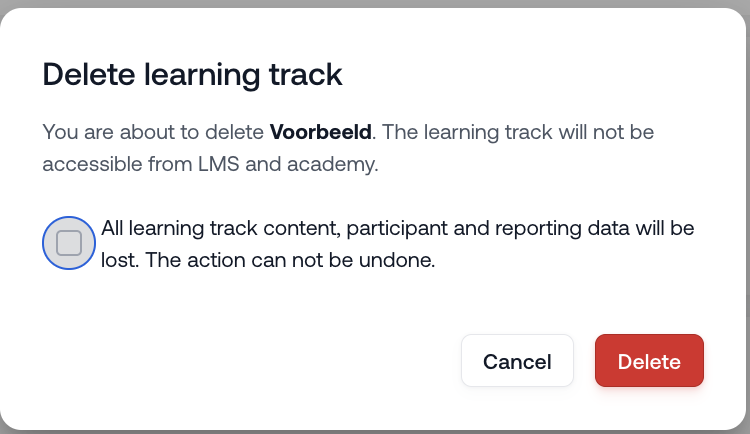
When you delete a learning track:
The learning track is completely removed from the LMS and the academy
All content, participant data, and reports are permanently deleted
This action cannot be undone
Use this option only if you are certain the learning track is no longer needed.
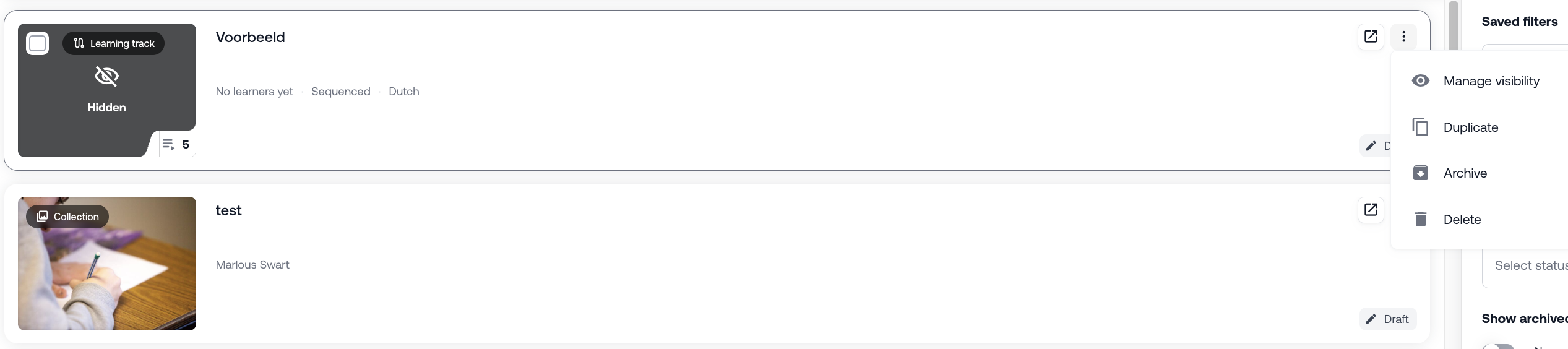
Archiving a Learning Track
When you choose to archive a learning track:
The learning track disappears from the library
Employees can no longer start or be assigned to the learning track
All content and progress data are retained in the system
Before You Archive
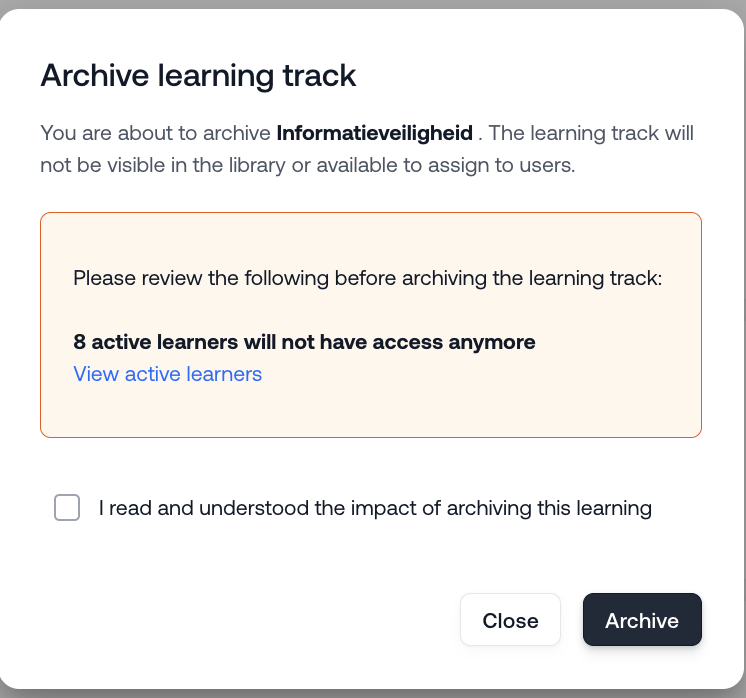
Before archiving, check whether there are still active participants.
For example: an employee who is currently following the learning track will no longer have access once it is archived.
You can check this via the View active employees button.
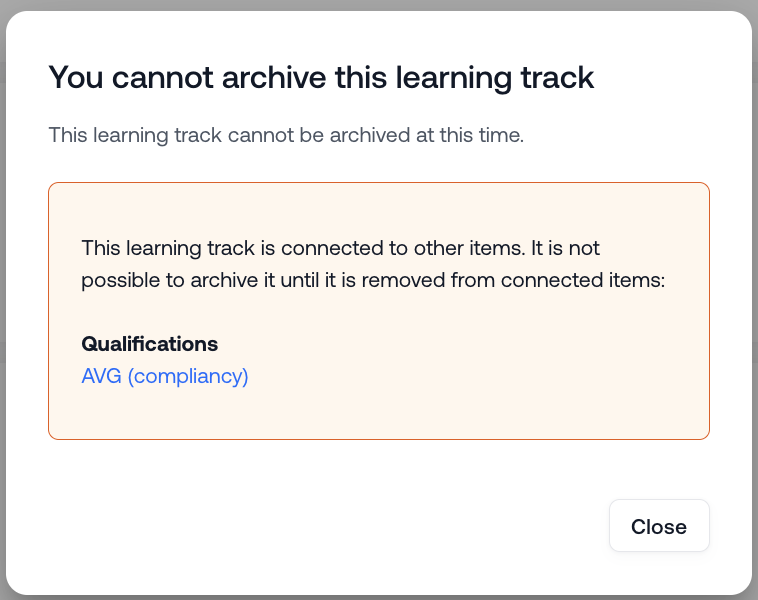
Note: it is not possible to archive a learning track if it is connected to other items such as qualifications and triggers.
Confirming the Archive
To archive the learning track, you’ll need to confirm the following statement:
“I have read and understood the consequences of archiving this learning activity.”
Was this article helpful?
That’s Great!
Thank you for your feedback
Sorry! We couldn't be helpful
Thank you for your feedback
Feedback sent
We appreciate your effort and will try to fix the article