Location management

Modified on Tue, 3 Mar at 4:32 PM

In this article, you’ll read how to manage locations within the LMS. This is especially useful when organizing internal events.


What is location management?

When organizing an internal event, you can set a location per session.

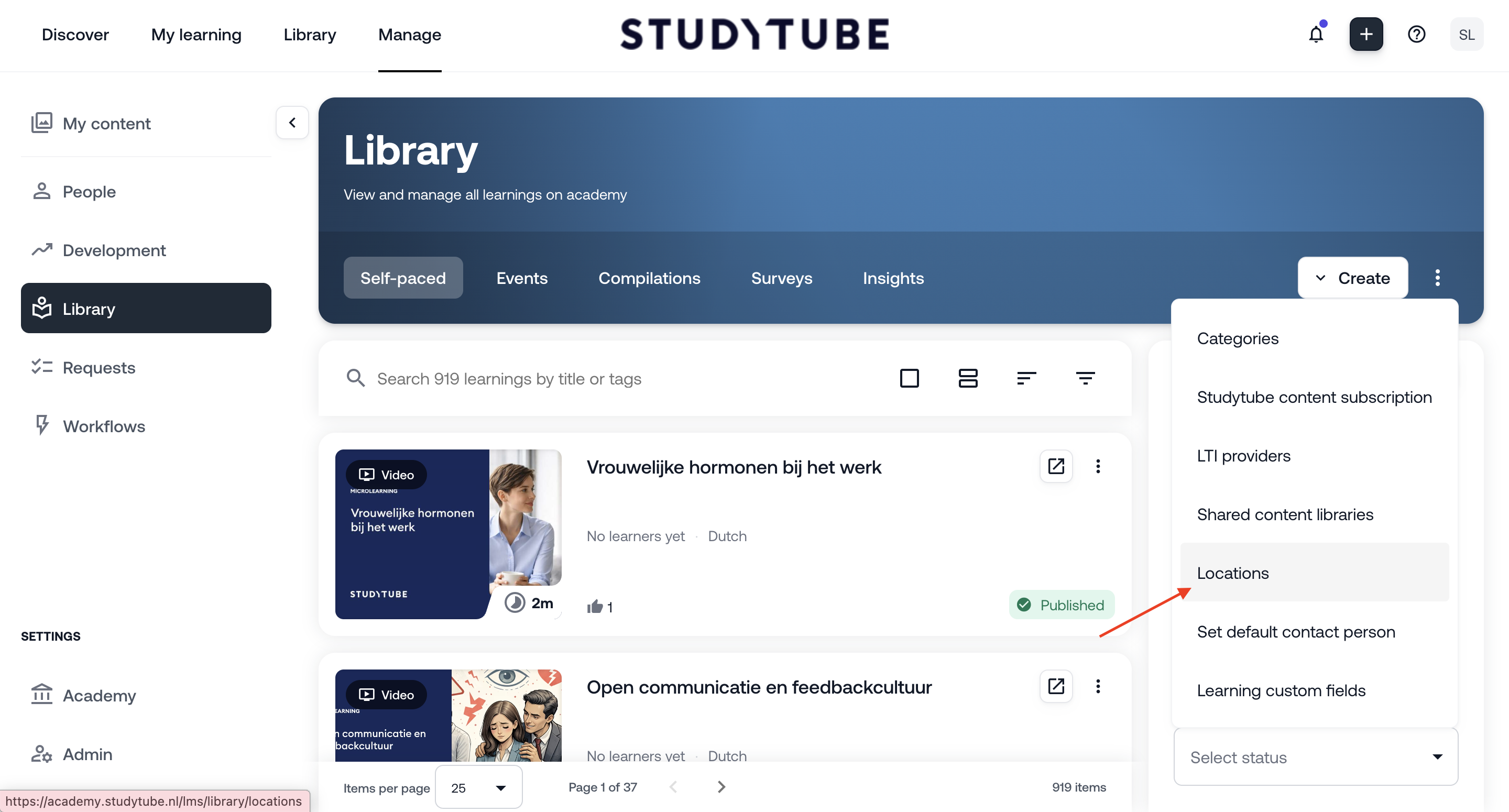
In the LMS, go to:

  • Library

  • Click the three dots next to the ‘Create’ button

  • Select Locations

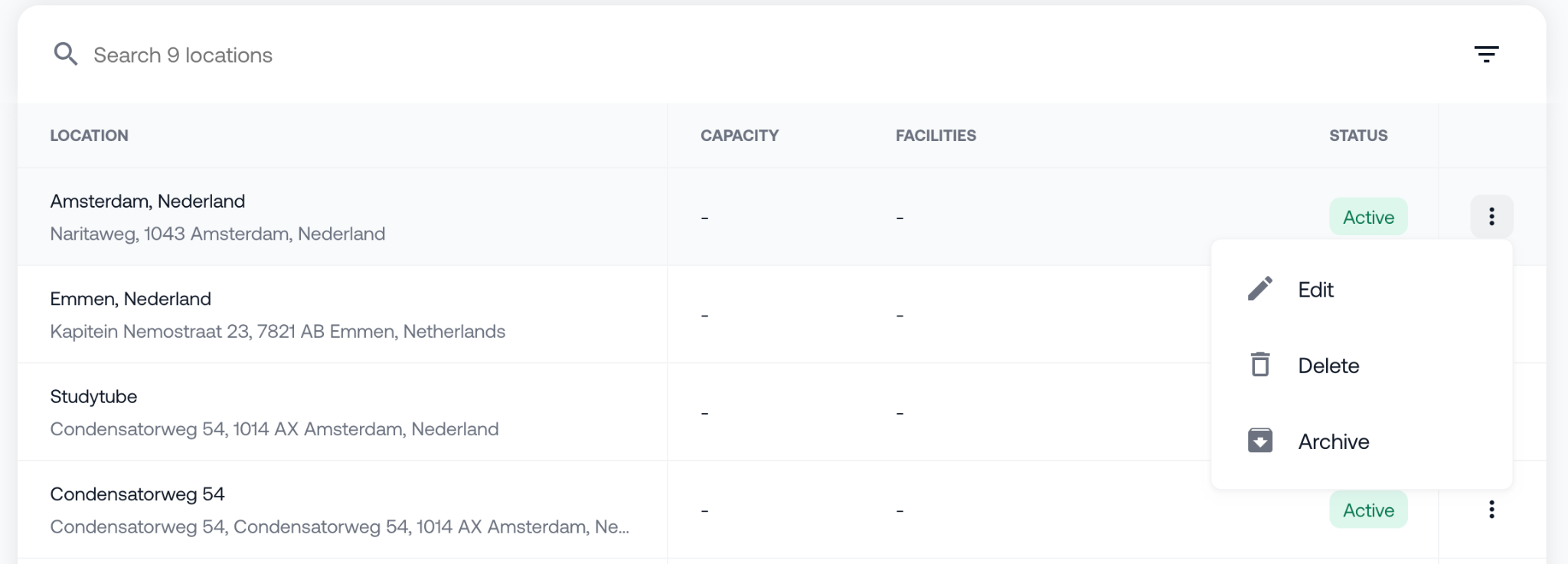
Here, you can manage locations that you use more often and add rooms per location.

For example:

  • Name meeting rooms within a branch

  • Select a room setup (e.g. theatre or classroom)

  • Specify available facilities such as a projector or whiteboard


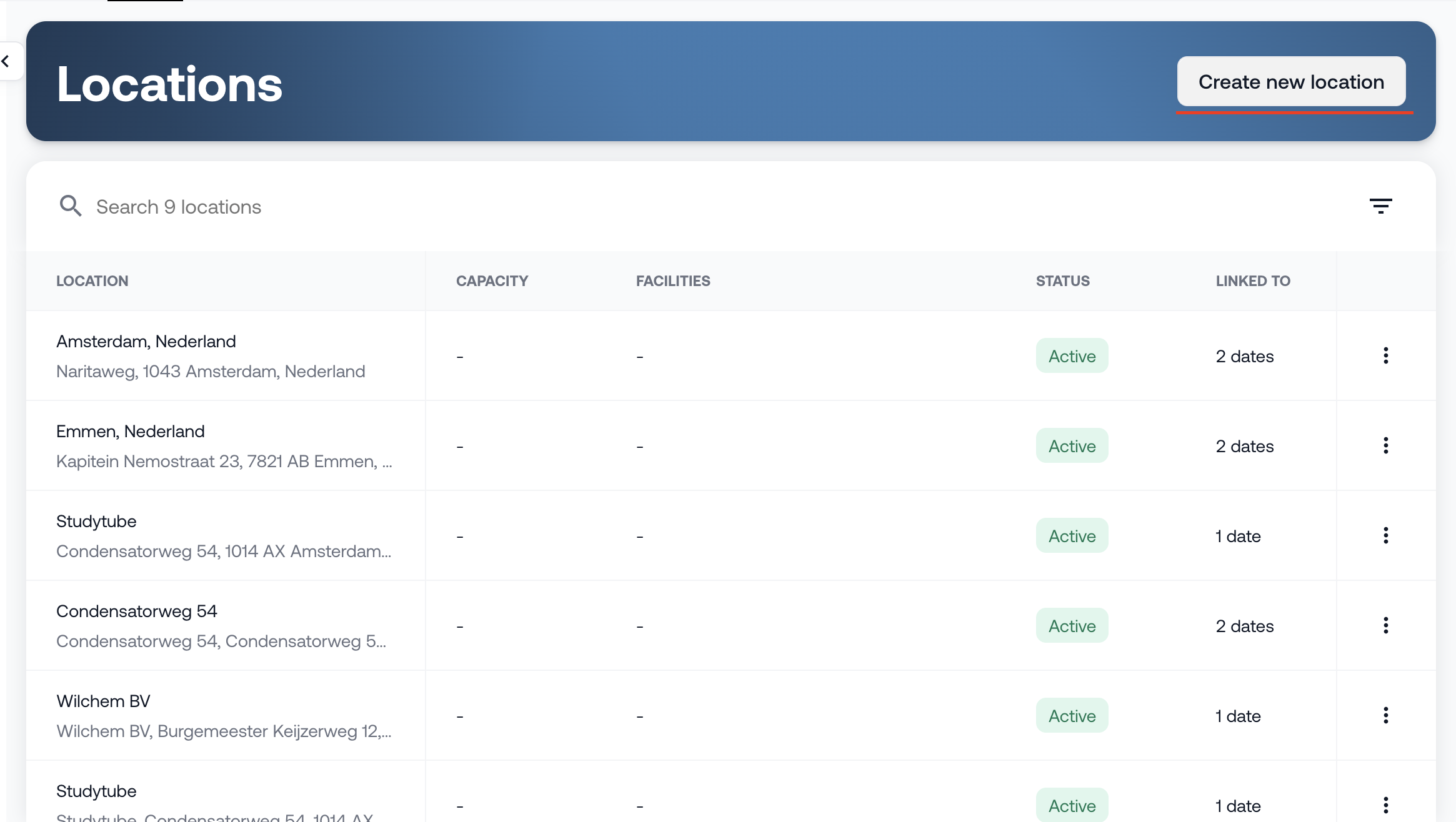
How do you add a location?

In the LMS:

  • Go to Library

  • Click the three dotsLocations

Then:

  • Click the blue button ‘Create new location’ in the top right corner

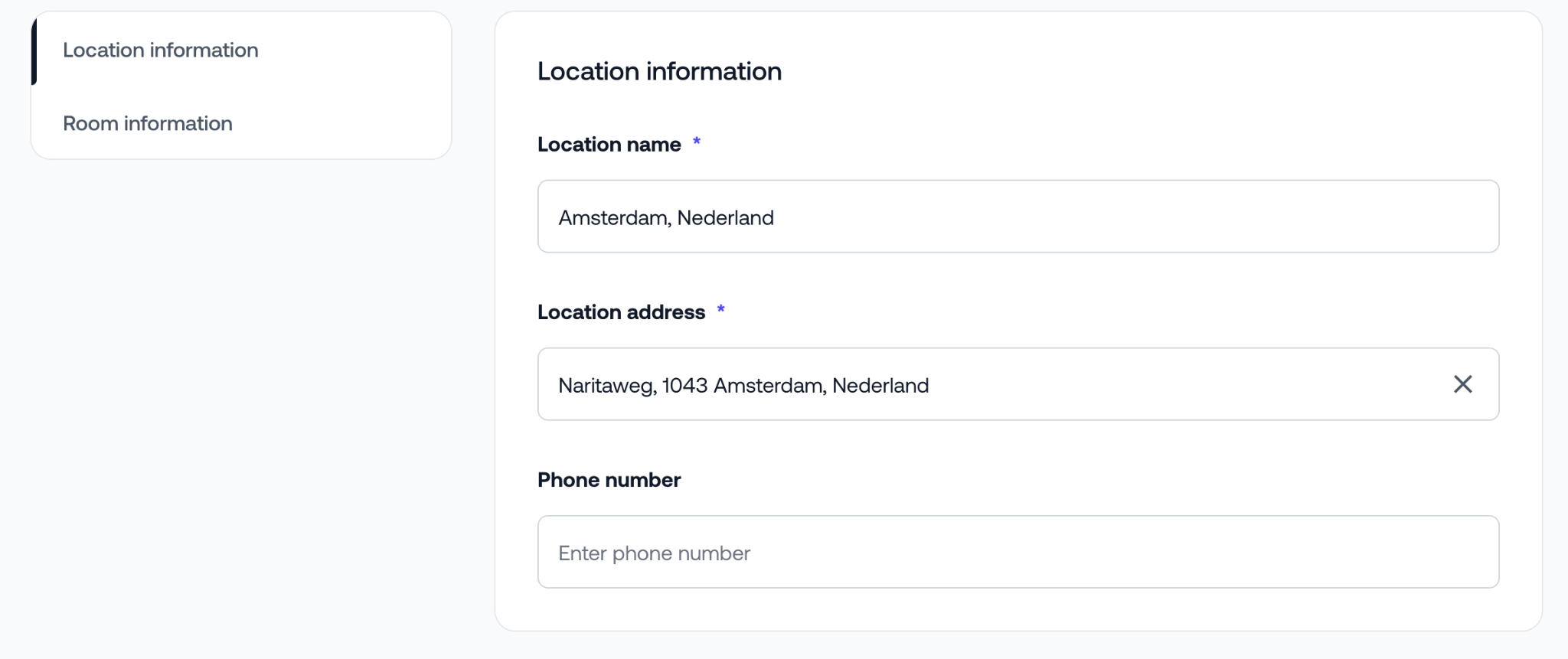
In the new screen, fill in the following details:

  • Name of the location

  • Address

  • Phone number (optional)

Do you have multiple branches? You can create a separate location for each branch.


How do you add a room to a location?

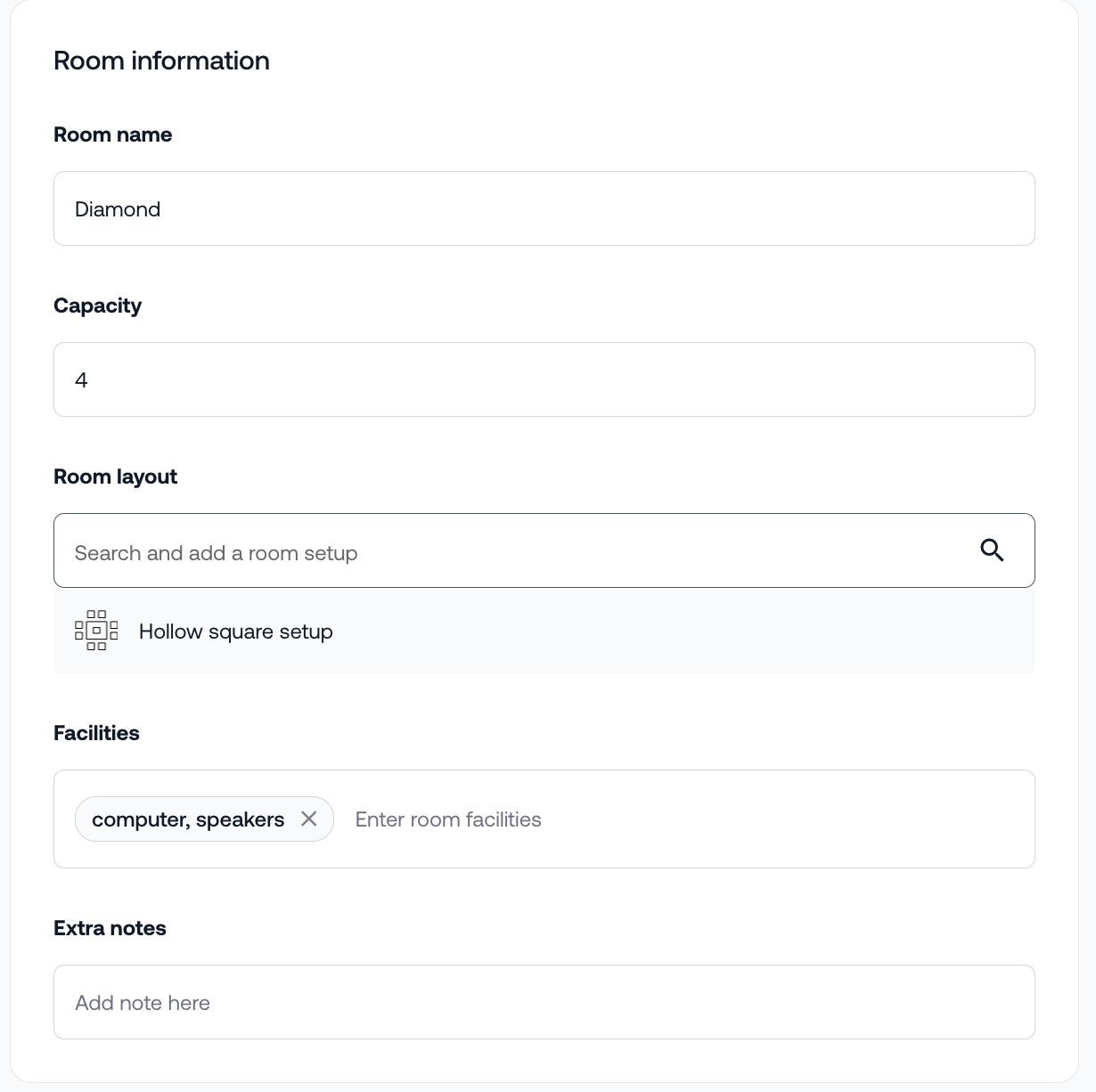
After creating a location, you can link one or more rooms to it.

Per room, you can optionally fill in the following details:

  • Name of the room

  • Capacity

  • Setup (e.g. theatre or classroom)

  • Available facilities

  • Any additional remarks

These fields are optional. You decide what is relevant for your organization.


What do you see on the overview page?

On the locations overview page, you can see per room:

  • The capacity

  • Available facilities

  • How many sessions the location is linked to

  • When the location was last updated


You can find a complete overview of all available fields in the manual in the Knowledge Academy. Don’t have access to the Knowledge Academy yet? Let us know by sending us a message.


Tip

Stay up to date with all new features via our Product Update page.

Was this article helpful?

That’s Great!

Thank you for your feedback

Sorry! We couldn't be helpful

Thank you for your feedback

Let us know how can we improve this article!

Select at least one of the reasons
CAPTCHA verification is required.

Feedback sent

We appreciate your effort and will try to fix the article